> ## Documentation Index
> Fetch the complete documentation index at: https://docs.usetusk.ai/llms.txt
> Use this file to discover all available pages before exploring further.

# Tusk Tester Overview

> Generate unit tests for your PRs/MRs

Tusk Tester generates unit tests with codebase and business context. Cover your PRs with high-impact unit tests that **detect edge cases** instead of just affirming current behavior.

For engineering teams with a quality-first culture, Tusk Tester up to **halves your release cycle** by catching bugs in PRs before they get merged. It then takes one click to commit Tusk's tests to prevent future regressions.

<iframe width="720" height="405" src="https://www.youtube.com/embed/qjxWOIwyeNc?si=llR6pQVDq9vIe6TO" title="YouTube video player" frameborder="0" allow="accelerometer; autoplay; clipboard-write; encrypted-media; gyroscope; picture-in-picture; web-share" referrerpolicy="strict-origin-when-cross-origin" allowfullscreen />

## How Tusk Works

<Steps>
  <Step title="Tusk generates tests">
    When a commit is pushed to a PR/MR, Tusk will look at the code changes, existing tests and mocks, and linked Jira/Linear tickets to generate tests for happy path and edge case scenarios.
  </Step>

  <Step title="Tusk runs tests">
    Tusk will run these new tests in an **isolated, ephemeral sandbox** or via your Tusk Test Runner workflow to get the test results.
  </Step>

  <Step title="Tusk self-iterates">
    If any tests fail and Tusk determines that the failure is due to flakiness in the test code, Tusk will autonomously fix its test code.

    Moreover, if there are existing errors in the test file(s) in question (e.g., syntax errors, missing imports, pre-existing failing tests), Tusk will automatically address these errors.
  </Step>

  <Step title="View results">
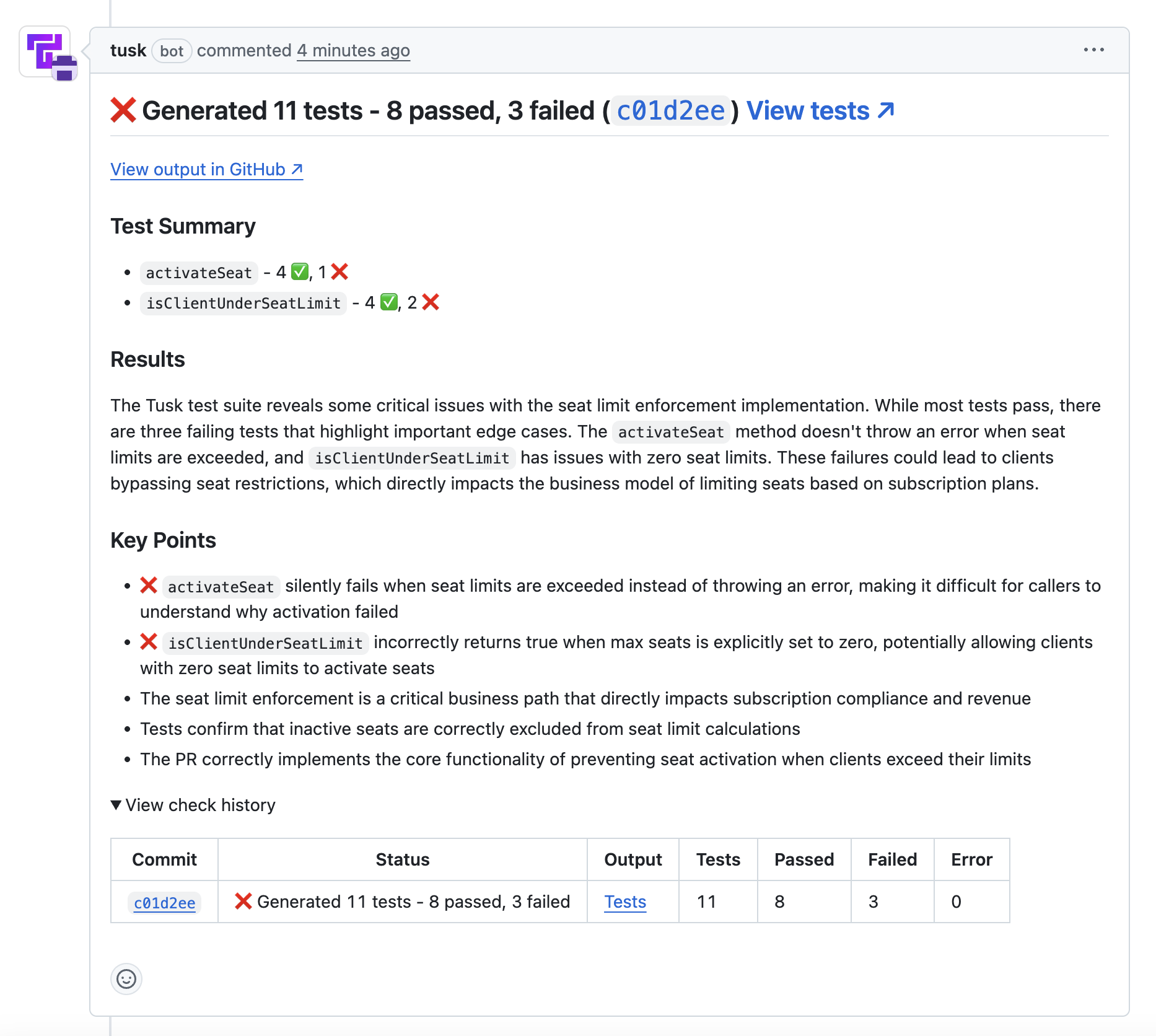
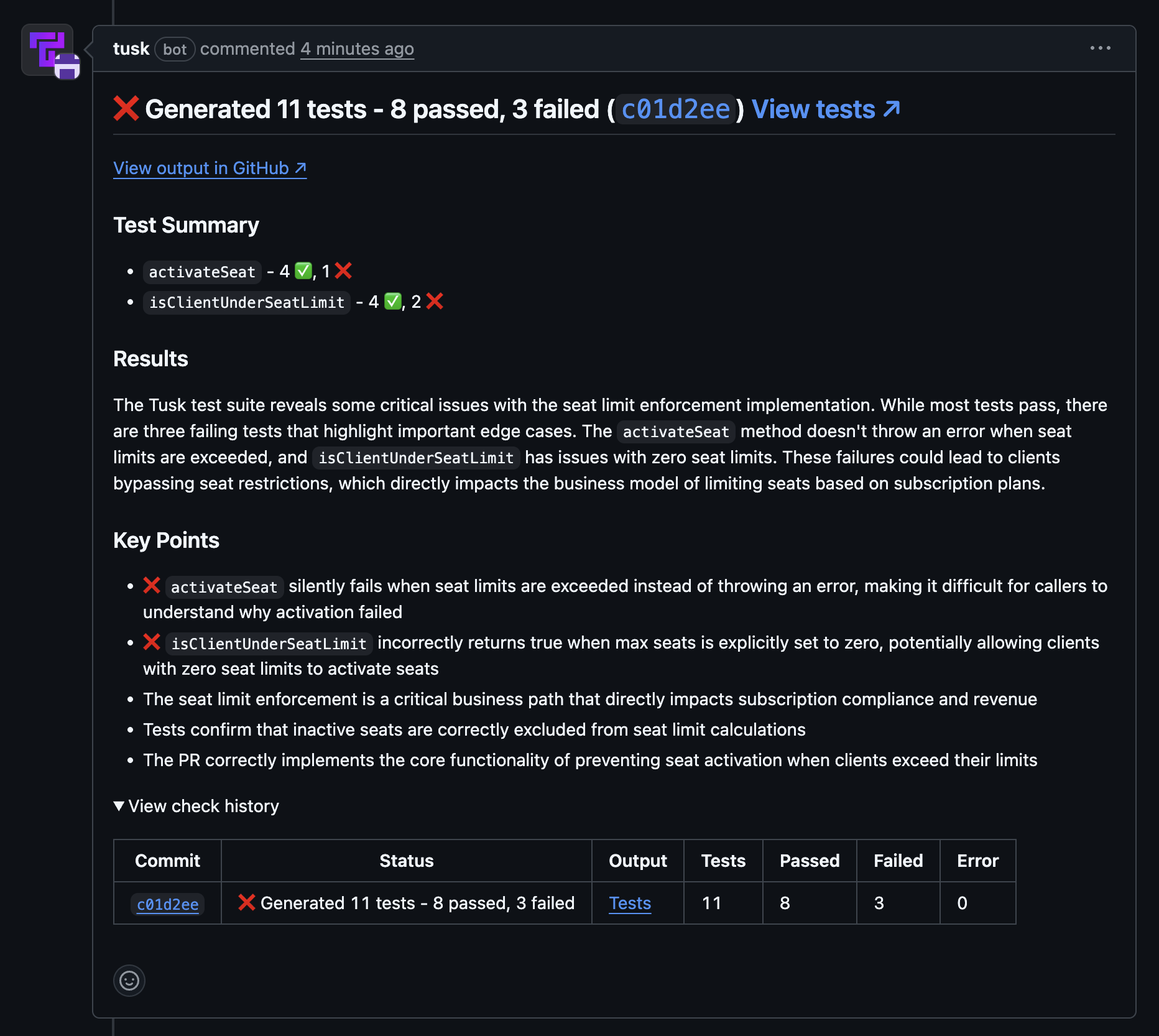
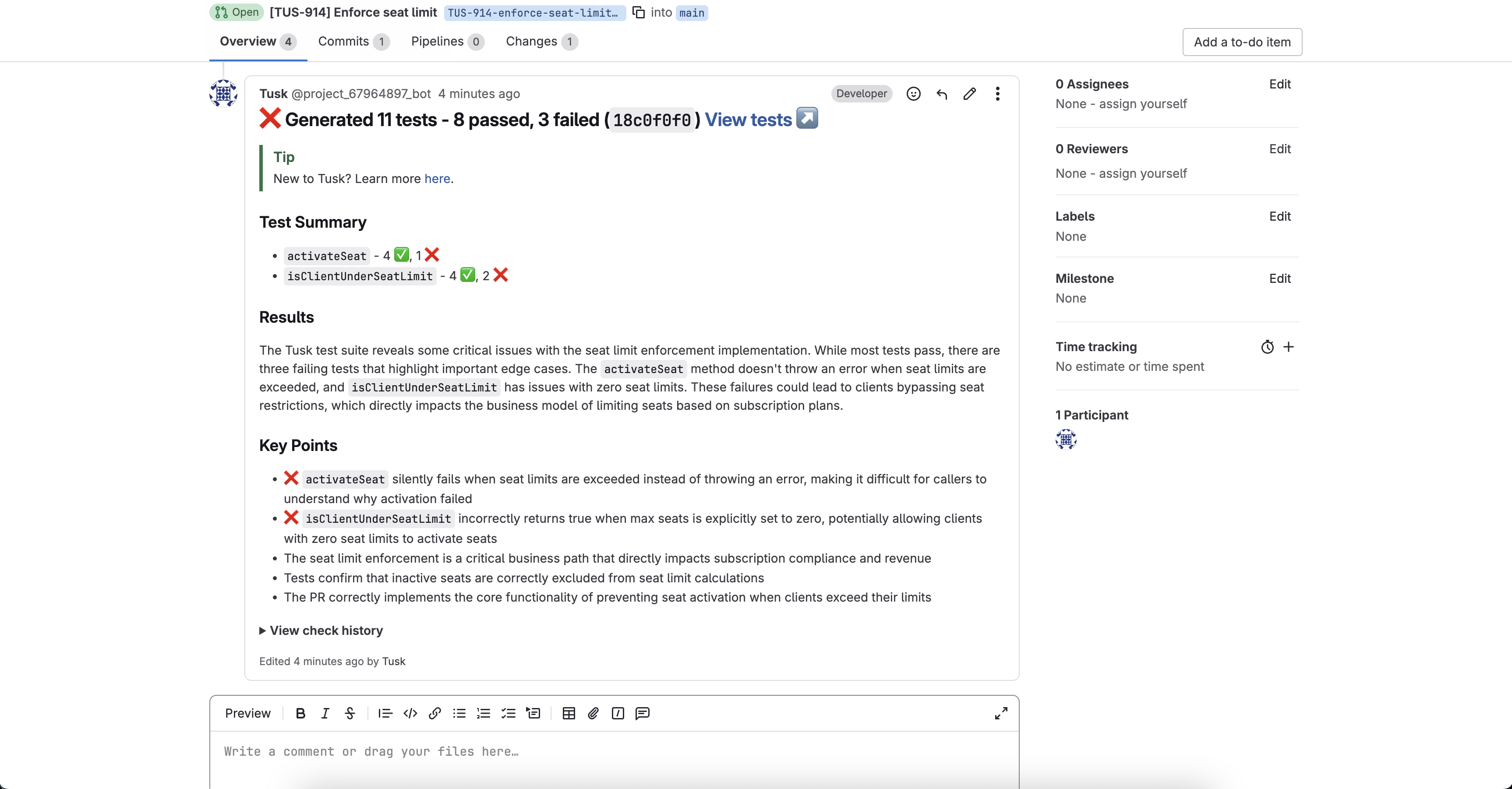
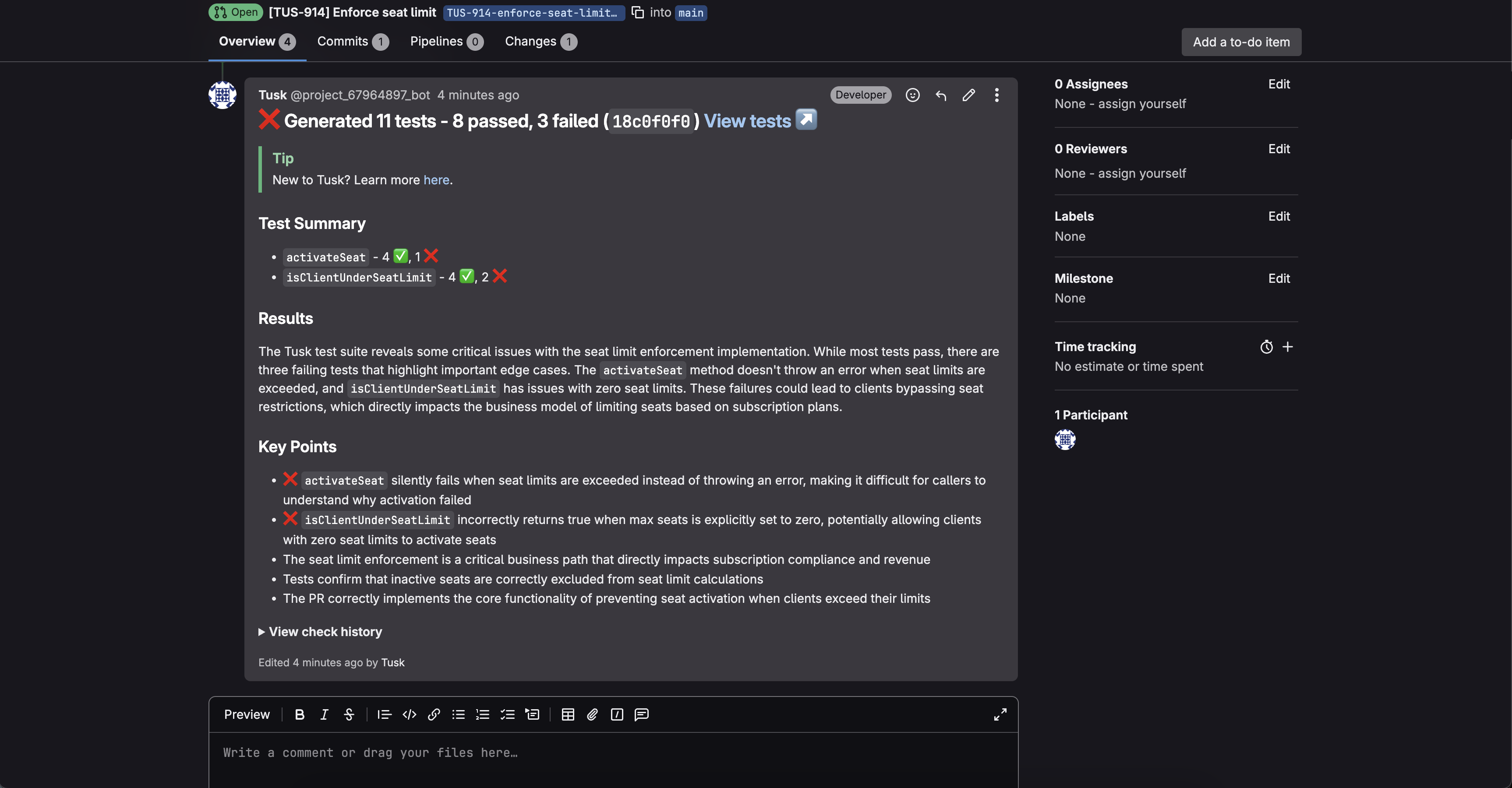
    Once the PR/MR check is complete, Tusk will leave a **self-updating comment** with a summary of the tests generated as well as the check history.

    By default, Tusk only surfaces failing tests to catch edge cases. You can disable this feature in your repository's **Test Check Configuration** or use the `Tusk - Generate Tests` PR/MR label to generate the full test suite with passing tests.

    **GitHub:**

    <img className="block dark:hidden" src="https://mintcdn.com/tusk/ZSRG9RyWtVo44p2P/images/tusk-github-pr-comment-for-docs-light.png?fit=max&auto=format&n=ZSRG9RyWtVo44p2P&q=85&s=c18a88f699d6a2f560a6e3e2c3b7e8ea" alt="Tusk's PR comment post-check in GitHub in light mode" width="1866" height="1672" data-path="images/tusk-github-pr-comment-for-docs-light.png" />

    <img className="hidden dark:block" src="https://mintcdn.com/tusk/ZSRG9RyWtVo44p2P/images/tusk-github-pr-comment-for-docs-dark.png?fit=max&auto=format&n=ZSRG9RyWtVo44p2P&q=85&s=a1078c068e5d1842b83773c7b894c3e0" alt="Tusk's PR comment post-check in GitHub in dark mode" width="1864" height="1666" data-path="images/tusk-github-pr-comment-for-docs-dark.png" />

    **GitLab:**

    <img className="block dark:hidden" src="https://mintcdn.com/tusk/oUgOovjKL0ccMRUE/images/tusk-gitlab-mr-comment-overview-doc-light.png?fit=max&auto=format&n=oUgOovjKL0ccMRUE&q=85&s=36684a7259b02793fc95f0f9792ffcd7" alt="Tusk's MR comment post-check in GitLab in light mode" width="3452" height="1802" data-path="images/tusk-gitlab-mr-comment-overview-doc-light.png" />

    <img className="hidden dark:block" src="https://mintcdn.com/tusk/oUgOovjKL0ccMRUE/images/tusk-gitlab-mr-comment-overview-doc-dark.png?fit=max&auto=format&n=oUgOovjKL0ccMRUE&q=85&s=9e234636440540ec2a8e8fc66ba84933" alt="Tusk's MR comment post-check in GitLab in dark mode" width="3452" height="1800" data-path="images/tusk-gitlab-mr-comment-overview-doc-dark.png" />
  </Step>

  <Step title="Review test cases">
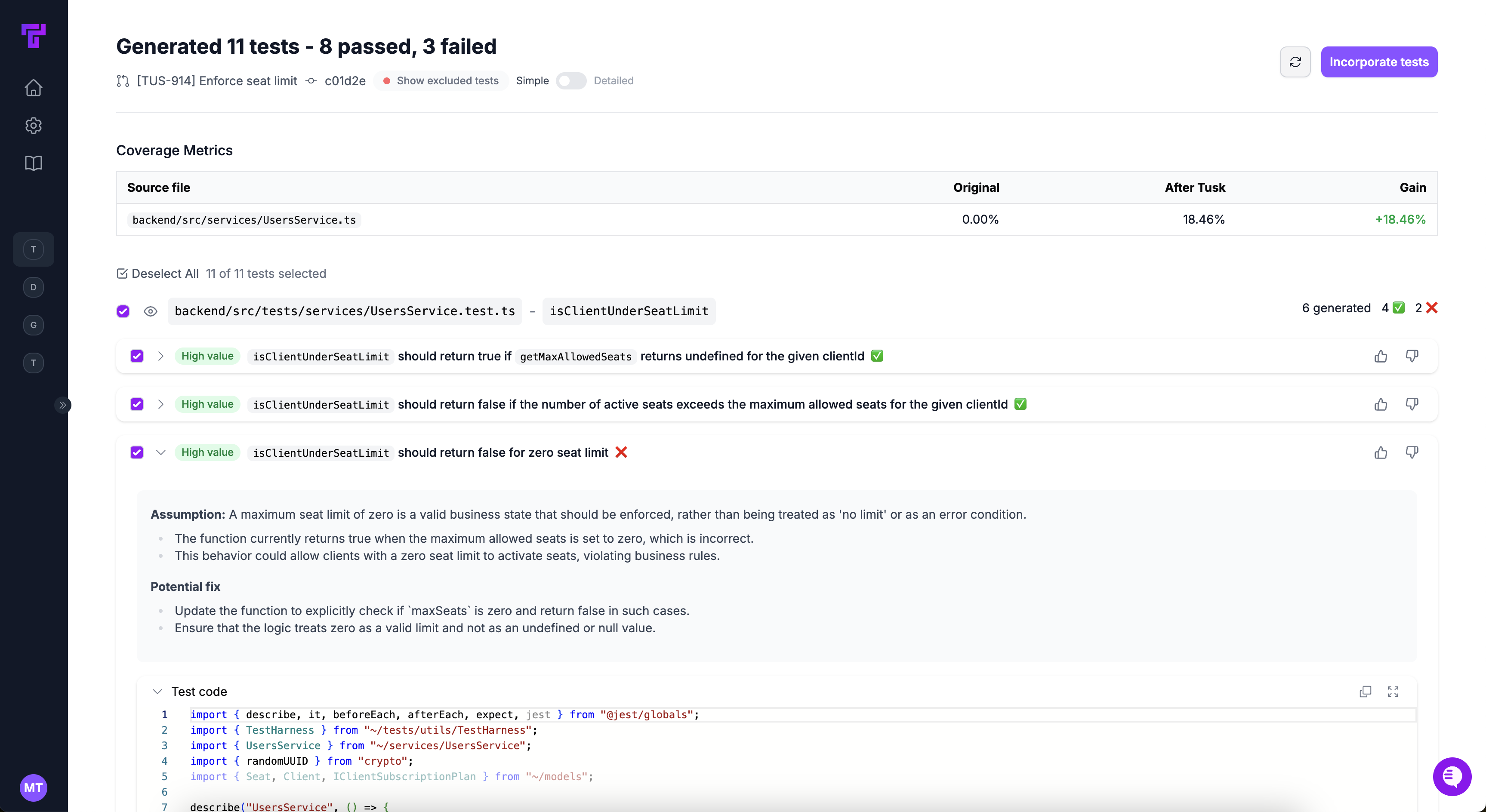
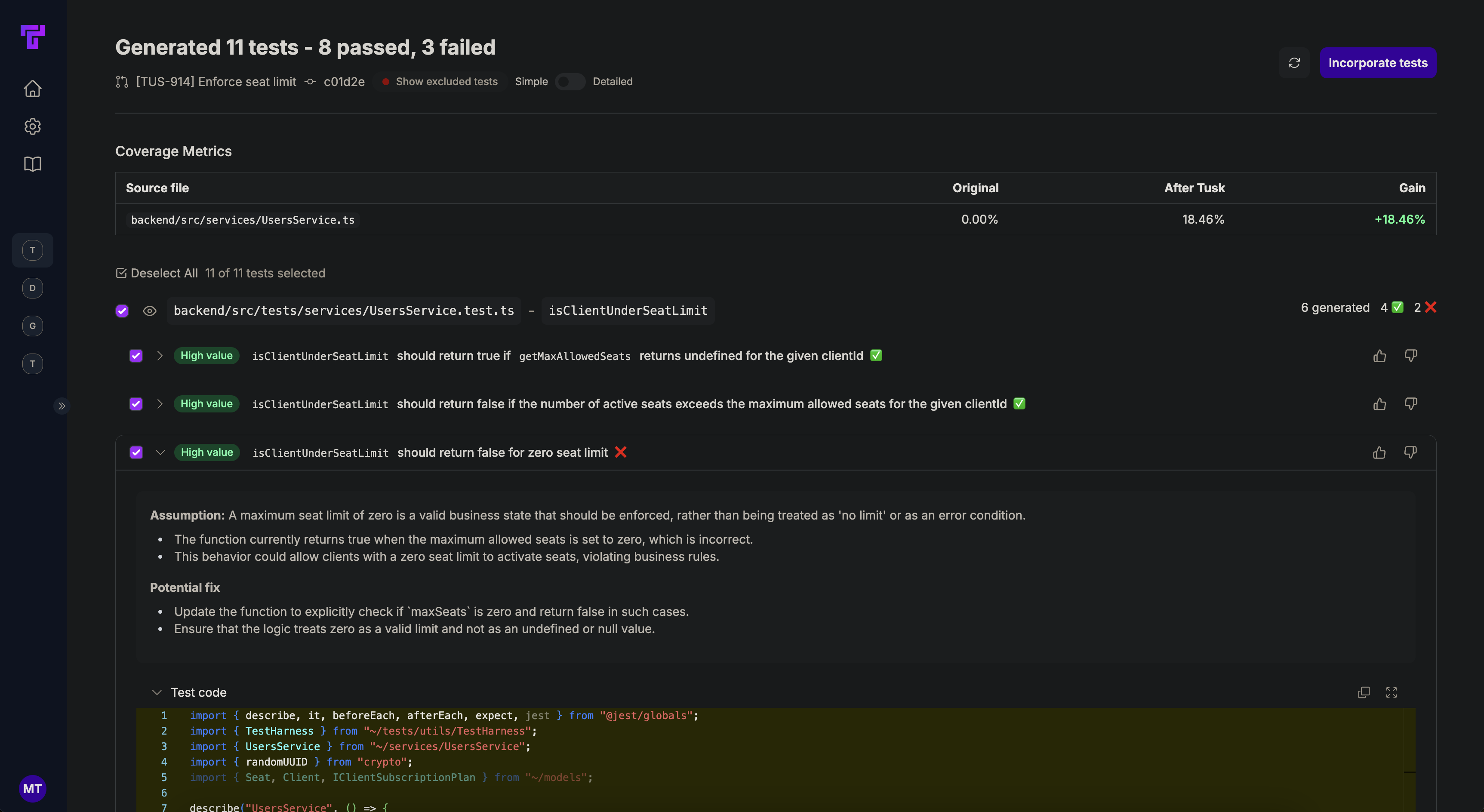
    Click **View tests** at the top of Tusk's PR comment to view the generated test cases in the Tusk web app.

    <img className="block dark:hidden" src="https://mintcdn.com/tusk/ZSRG9RyWtVo44p2P/images/tusk-new-testing-commit-check-page-light.png?fit=max&auto=format&n=ZSRG9RyWtVo44p2P&q=85&s=227ac6cd0c8f25da14b88b1ea49435d7" alt="Tusk's automated tests in light mode" width="3454" height="1888" data-path="images/tusk-new-testing-commit-check-page-light.png" />

    <img className="hidden dark:block" src="https://mintcdn.com/tusk/ZSRG9RyWtVo44p2P/images/tusk-new-testing-commit-check-page-dark.png?fit=max&auto=format&n=ZSRG9RyWtVo44p2P&q=85&s=848211a789b38799fe290b5d5d2a1af2" alt="Tusk's automated tests in dark mode" width="3450" height="1888" data-path="images/tusk-new-testing-commit-check-page-dark.png" />

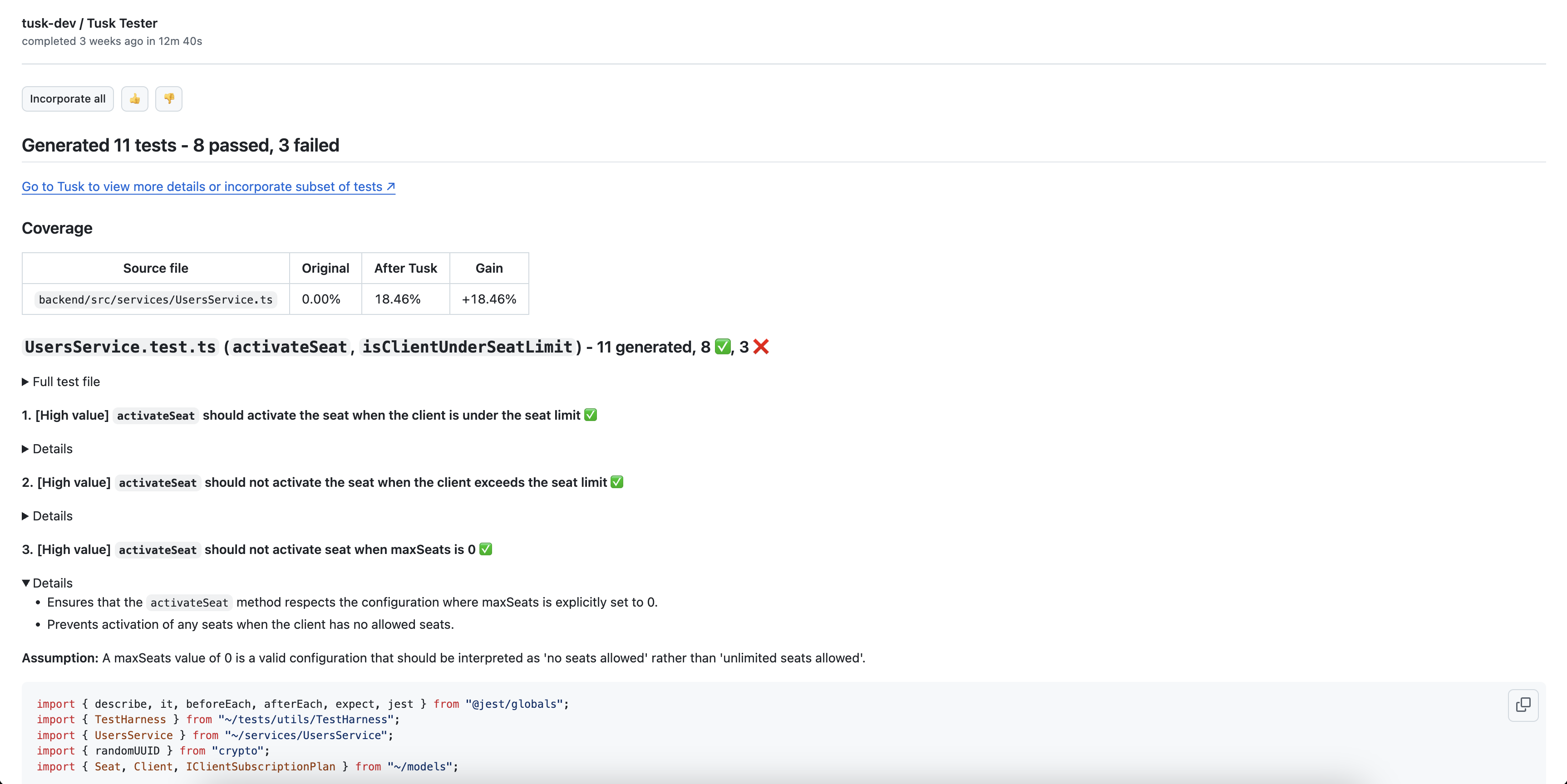
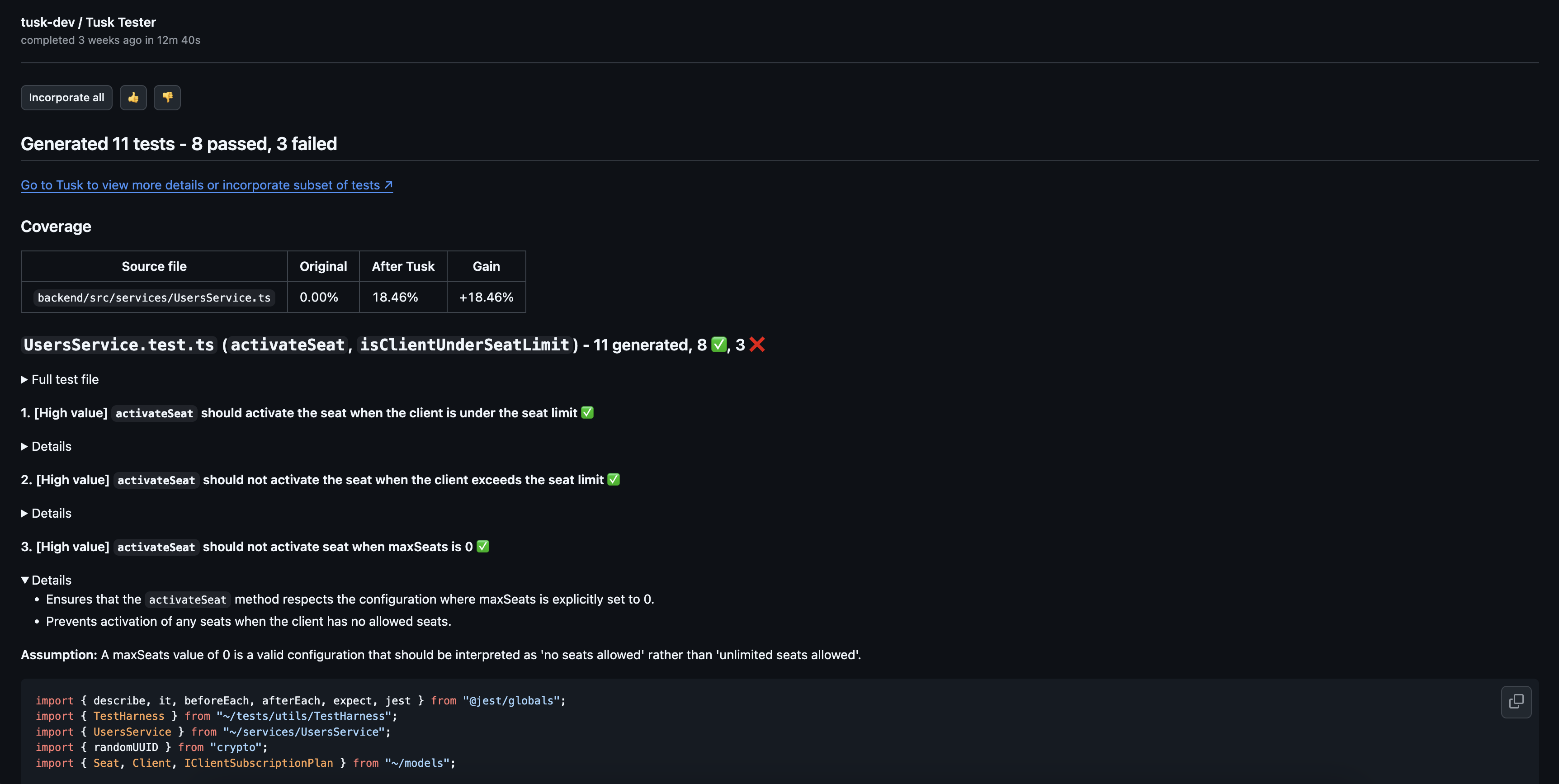
    If using GitHub, you can also view Tusk's generated test cases in the GitHub check output page.

    <img className="block dark:hidden" src="https://mintcdn.com/tusk/ZSRG9RyWtVo44p2P/images/tusk-new-gh-check-output-page-light.png?fit=max&auto=format&n=ZSRG9RyWtVo44p2P&q=85&s=e56e03d1de4fd676a6389be5c5485c46" alt="Tusk's automated tests GitHub in light mode" width="3452" height="1728" data-path="images/tusk-new-gh-check-output-page-light.png" />

    <img className="hidden dark:block" src="https://mintcdn.com/tusk/ZSRG9RyWtVo44p2P/images/tusk-new-gh-check-output-page-dark.png?fit=max&auto=format&n=ZSRG9RyWtVo44p2P&q=85&s=48cdb6fef0681dd205ea00b718f9d1fb" alt="Tusk's automated tests in GitHub in dark mode" width="3448" height="1734" data-path="images/tusk-new-gh-check-output-page-dark.png" />
  </Step>

  <Step title="Examine test details">
    Review the test code and justification for each test case, whether it passed or failed, the test execution logs, as well as potential fixes for failing tests.
  </Step>

  <Step title="Add tests to PR/MR">
    In the Tusk web app, select the test cases you want, then click **Commit X of Y tests**. You can also create a separate PR/MR for the tests if you'd like to resolve failing tests separately.

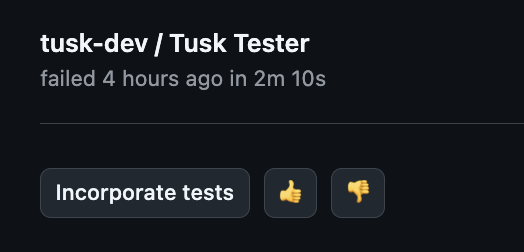
    If using GitHub, you can click **Incorporate tests** from within the check output to add all generated tests to the PR/MR's branch.

    <img style={{ width: '300px' }} alt="Screenshot of Tusk's 'Add to branch' button" src="https://mintcdn.com/tusk/ZSRG9RyWtVo44p2P/images/pr-incorporate-tests-dark.png?fit=max&auto=format&n=ZSRG9RyWtVo44p2P&q=85&s=8e9530eb80ba6595cacf6cc196dbbb29" width="524" height="252" data-path="images/pr-incorporate-tests-dark.png" />
  </Step>

  <Step title="Agent commits tests">
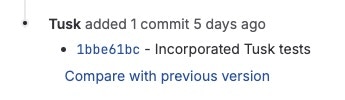
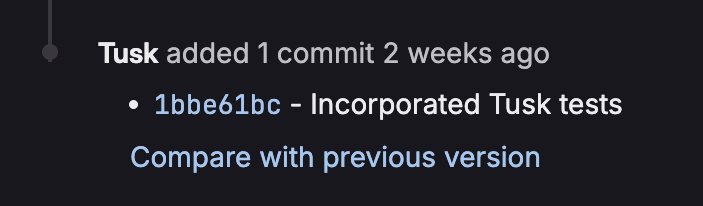
    You will see a new Tusk commit in the PR/MR with your selected tests. Note that this may take a few minutes if you're not selecting all tests or all passing tests.

    **GitHub:**

    <img src="https://mintcdn.com/tusk/xWwnihRf8ZfpYVT1/images/tusk-tester-pr-commit-message.png?fit=max&auto=format&n=xWwnihRf8ZfpYVT1&q=85&s=066e23b4d6209fdf1acad1887fe6ba3c" alt="Screenshot of Tusk's new commit with tests in GitHub" width="1854" height="238" data-path="images/tusk-tester-pr-commit-message.png" />

    **GitLab:**

    <img className="block dark:hidden h-20" src="https://mintcdn.com/tusk/ZSRG9RyWtVo44p2P/images/tusk-gitlab-mr-commit-light-mode.jpg?fit=max&auto=format&n=ZSRG9RyWtVo44p2P&q=85&s=9e6d414cd1783c04906073ba57ea8e57" alt="GitLab commit with tests in light mode" width="345" height="100" data-path="images/tusk-gitlab-mr-commit-light-mode.jpg" />

    <img className="hidden dark:block h-20" src="https://mintcdn.com/tusk/ZSRG9RyWtVo44p2P/images/tusk-gitlab-mr-commit-dark-mode.png?fit=max&auto=format&n=ZSRG9RyWtVo44p2P&q=85&s=e8e1e0a32b215b778a39944fcdee2383" alt="GitLab commit with tests in dark mode" width="703" height="206" data-path="images/tusk-gitlab-mr-commit-dark-mode.png" />
  </Step>

  <Step title="Fix bugs as needed">
    If there are failing tests, pull down the branch, fix the bug, and manually run the Tusk test locally to verify that it is now passing. Remove the `[Tusk] FAILING TEST` comment above the test and push the fix.
  </Step>
</Steps>

Questions? Reach out to [support@usetusk.ai](mailto:support@usetusk.ai). We will respond as soon as possible.