> ## Documentation Index
> Fetch the complete documentation index at: https://docs.usetusk.ai/llms.txt
> Use this file to discover all available pages before exploring further.
# Tusk Review Overview
> Automatically review pull requests for bugs and quality issues
Tusk Review is an AI code reviewer that runs on PRs to find bugs and code quality issues. The `@use-tusk` bot will leave inline comments for any issues and include a fix prompt, so you can resolve issues quickly before merge.
## How It Works
Tusk Review runs when a PR is created or when new commits are pushed. Trigger Tusk Review at any time by commenting `@use-tusk review` in the PR.
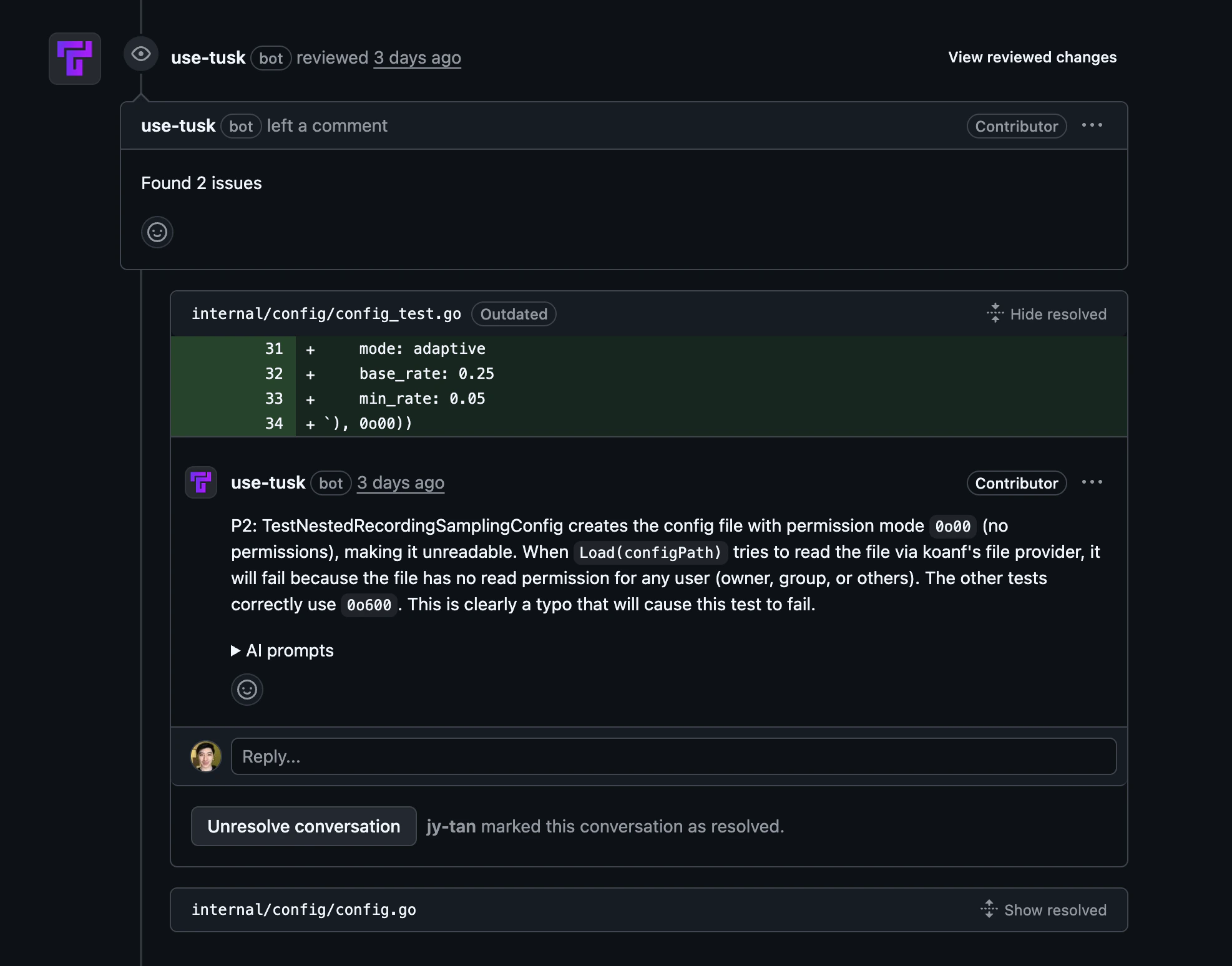
AI evaluates changed files for bugs, security issues, performance/reliability problems, and maintainability concerns. When Tusk finds an issue, **@use-tusk** posts an inline PR comment with the risk and suggested fix.
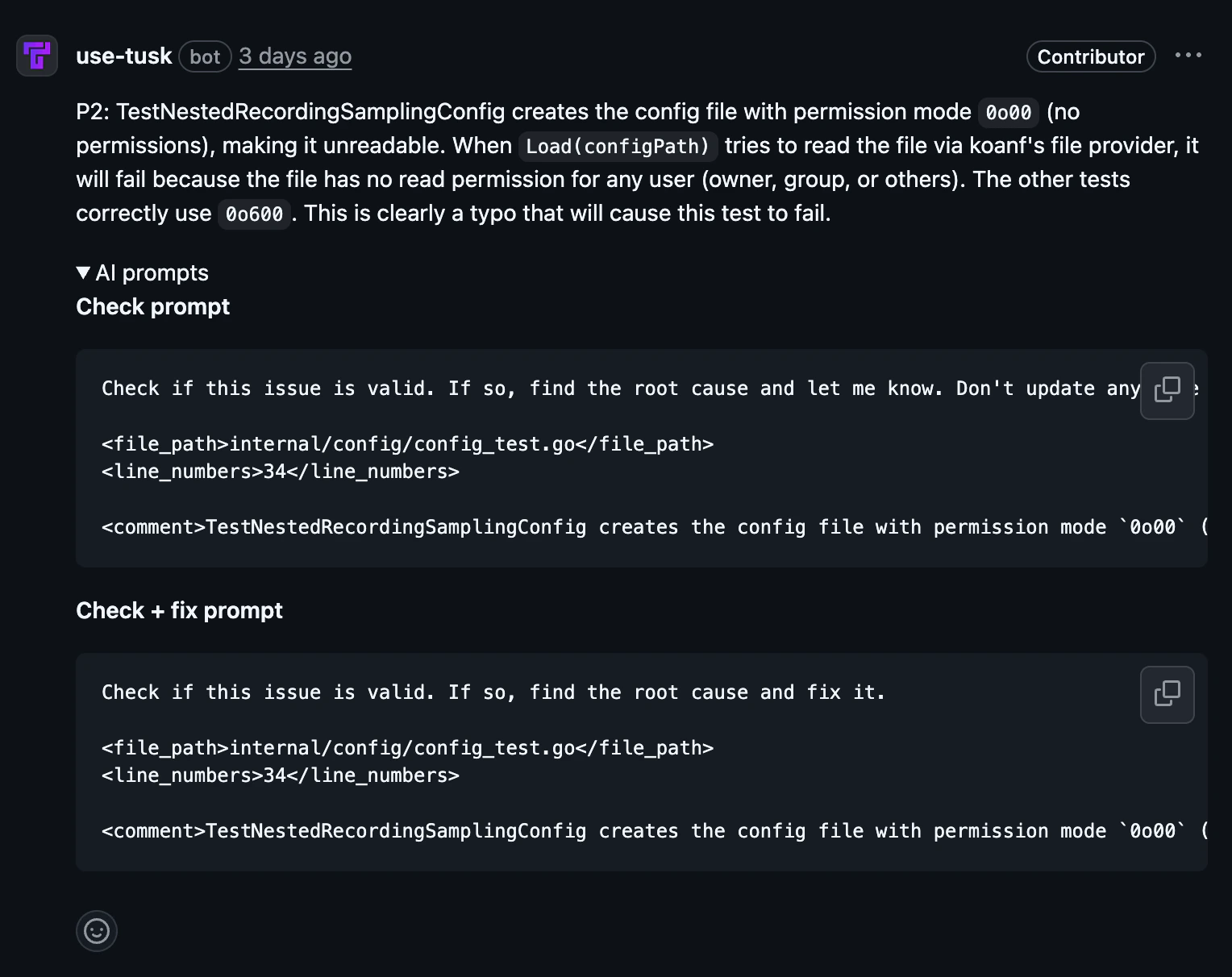
 Each finding includes an AI prompt you can copy and paste into your coding agent to investigate and fix the issue.
 Update your code based on the review comments, then push commits to the same PR branch.
Tusk re-runs on the latest commit and updates feedback, helping you verify that previous findings are resolved before merge.
## Trigger a review on demand
Beyond the automatic run on PR creation and new commits, you can request a review any time by commenting on a PR:
```
@use-tusk review
```
The PR author must have an active Tusk seat for the review to run.
## Setup
This guide assumes you have already [connected your
repo](/onboarding#connect-version-control-platform). Tusk Review is
stack-agnostic and does not require a test execution environment.
In the [Repos page](https://app.usetusk.ai/app/repos), click **Code Review** for the repository you want to configure.
Update your code based on the review comments, then push commits to the same PR branch.
Tusk re-runs on the latest commit and updates feedback, helping you verify that previous findings are resolved before merge.
## Trigger a review on demand
Beyond the automatic run on PR creation and new commits, you can request a review any time by commenting on a PR:
```
@use-tusk review
```
The PR author must have an active Tusk seat for the review to run.
## Setup
This guide assumes you have already [connected your
repo](/onboarding#connect-version-control-platform). Tusk Review is
stack-agnostic and does not require a test execution environment.
In the [Repos page](https://app.usetusk.ai/app/repos), click **Code Review** for the repository you want to configure.
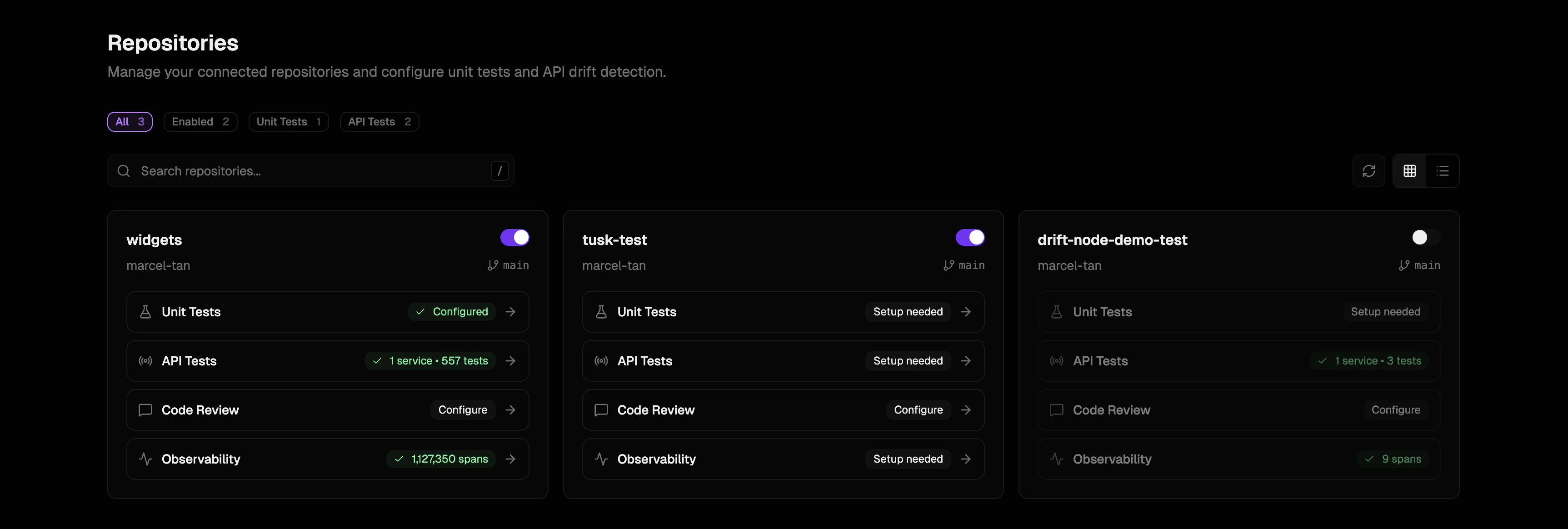 Enable the toggle to turn on Tusk Review for all PR authors with an active Tusk seat. Toggle other repo-level settings as needed.
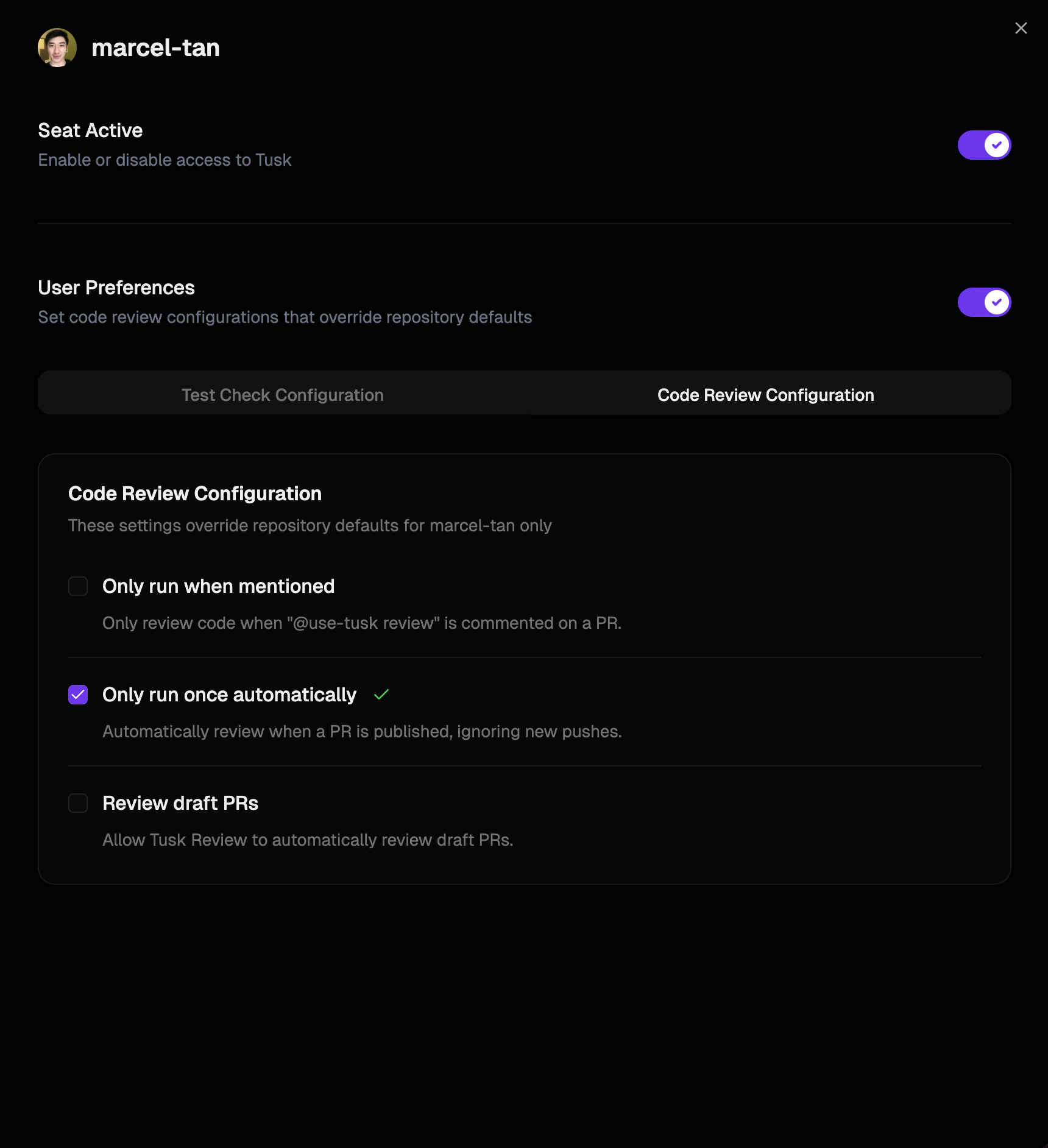
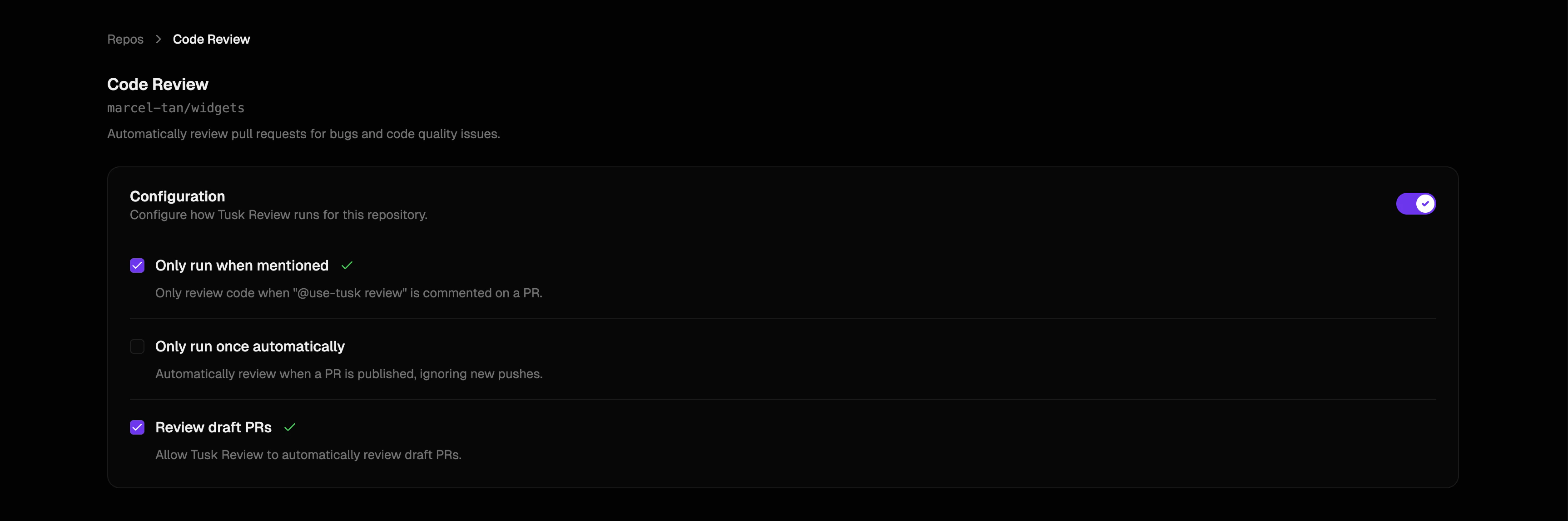 To change individual preferences for how Tusk Review runs, go to [Settings > GitHub/GitLab Seats](https://app.usetusk.ai/app/settings/seats), click **Edit preferences**, and select the relevant checkboxes under Code Review Configuration.