> ## Documentation Index
> Fetch the complete documentation index at: https://docs.usetusk.ai/llms.txt
> Use this file to discover all available pages before exploring further.
# Code Reviews
> Submit a PR review for Tusk to iterate on its changes
## Overview
Tusk may need guidance on the code it generates every now and then. You can provide feedback to Tusk by submitting a review on the pull request (PR) that it generates. Tusk will take your code review, regenerate code to address your feedback, and then make another commit with the relevant changes.
This guide will walk you through how to submit a code review and the tips and tricks around providing feedback to Tusk.
***
## Submitting a Code Review
As an engineer, you should review Tusk’s PR as if you’re reviewing a co-worker’s PR. Make sure the code works by testing changes before merging. See the steps below for requesting changes from Tusk:
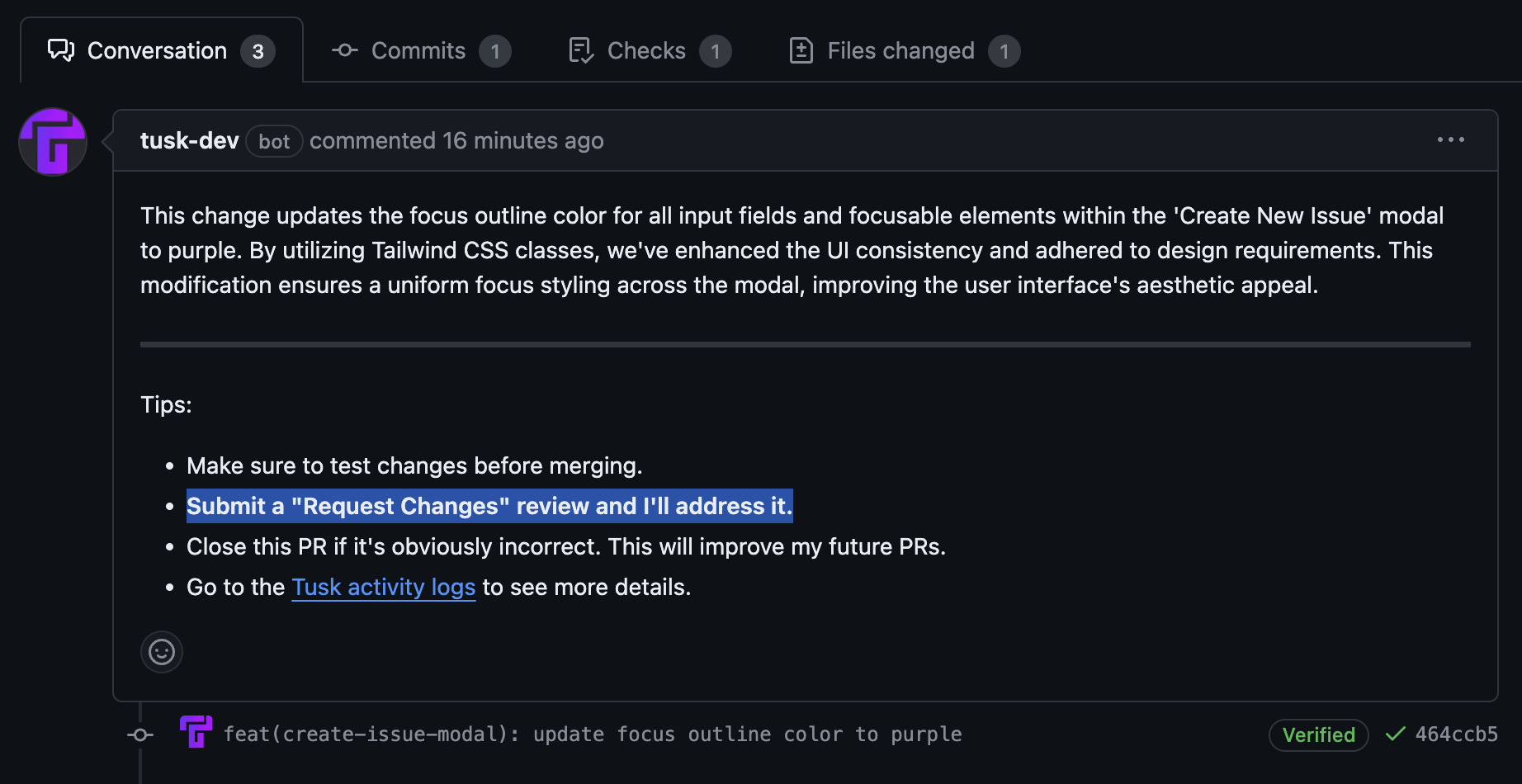
1. After Tusk creates a pull request (PR), you will see a note on the PR body that you can submit a review on the PR for Tusk to address.
 2. Go to **Files changed**.
3. **Optional but recommended**: Click on the '+' icon by the line number that you want to give feedback on.
4. Add your feedback in the text editor that shows up. We recommend using in-line comments if you’re providing targeted feedback regarding the diff.
2. Go to **Files changed**.
3. **Optional but recommended**: Click on the '+' icon by the line number that you want to give feedback on.
4. Add your feedback in the text editor that shows up. We recommend using in-line comments if you’re providing targeted feedback regarding the diff.
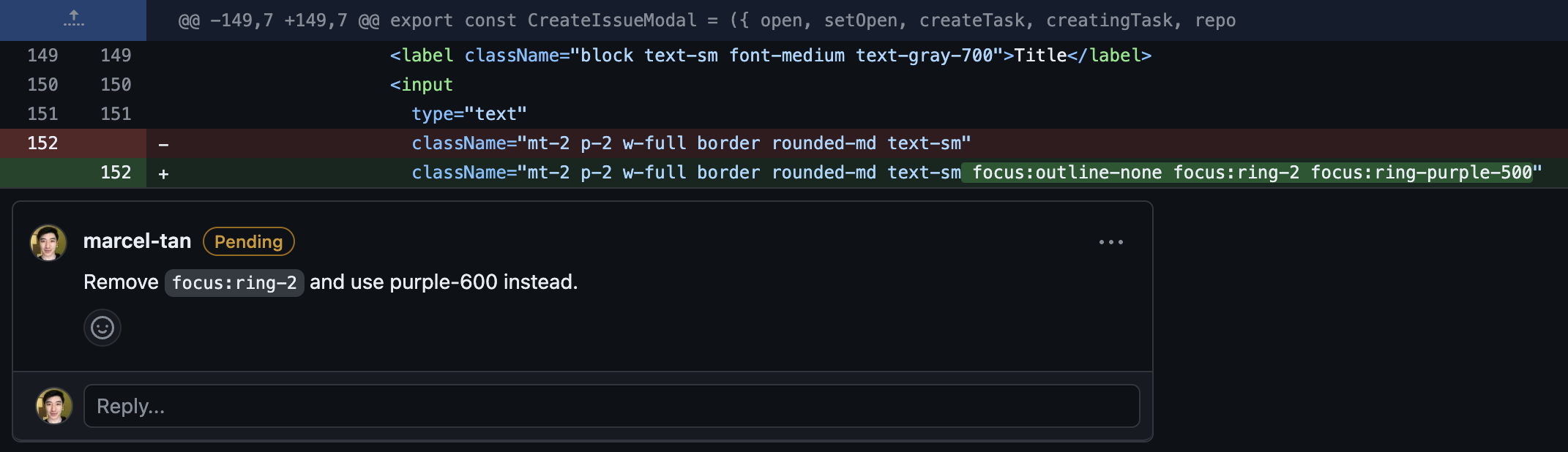
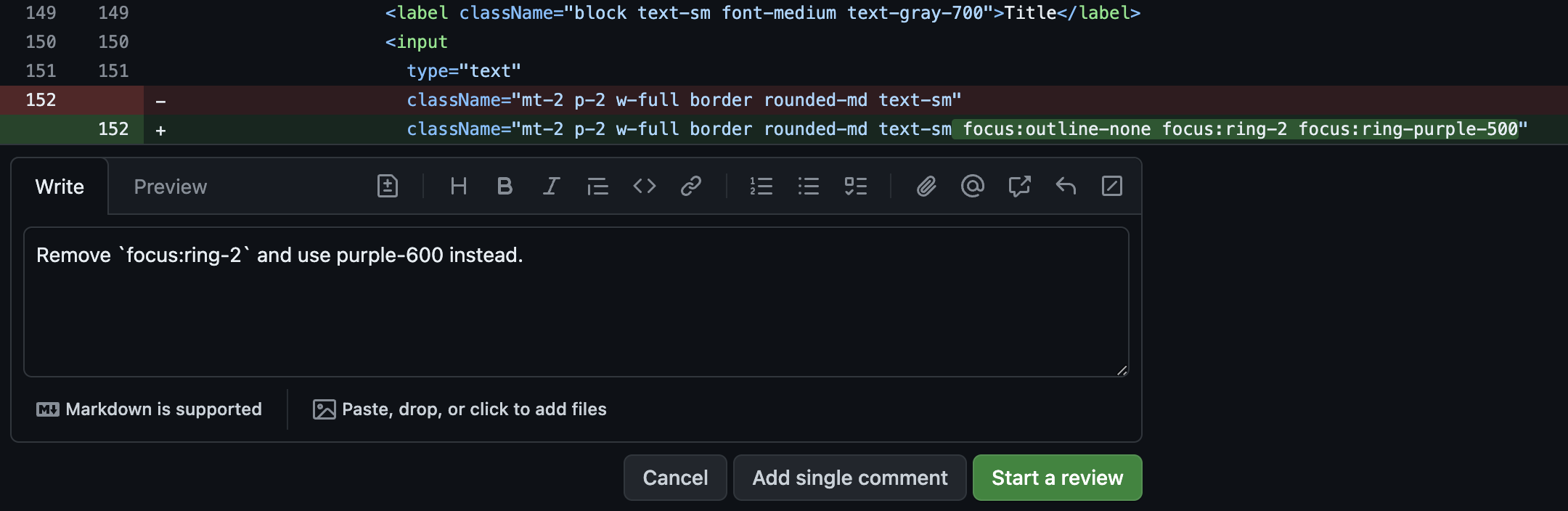 5. Click **Start a review**. You should see that the comment is added to your ongoing review.
 6. Click **Finish your review** or **Review changes** (if you haven’t added in-line comments) at the top right of the page.
7. Add any general review comments and choose **Request changes**.
6. Click **Finish your review** or **Review changes** (if you haven’t added in-line comments) at the top right of the page.
7. Add any general review comments and choose **Request changes**.
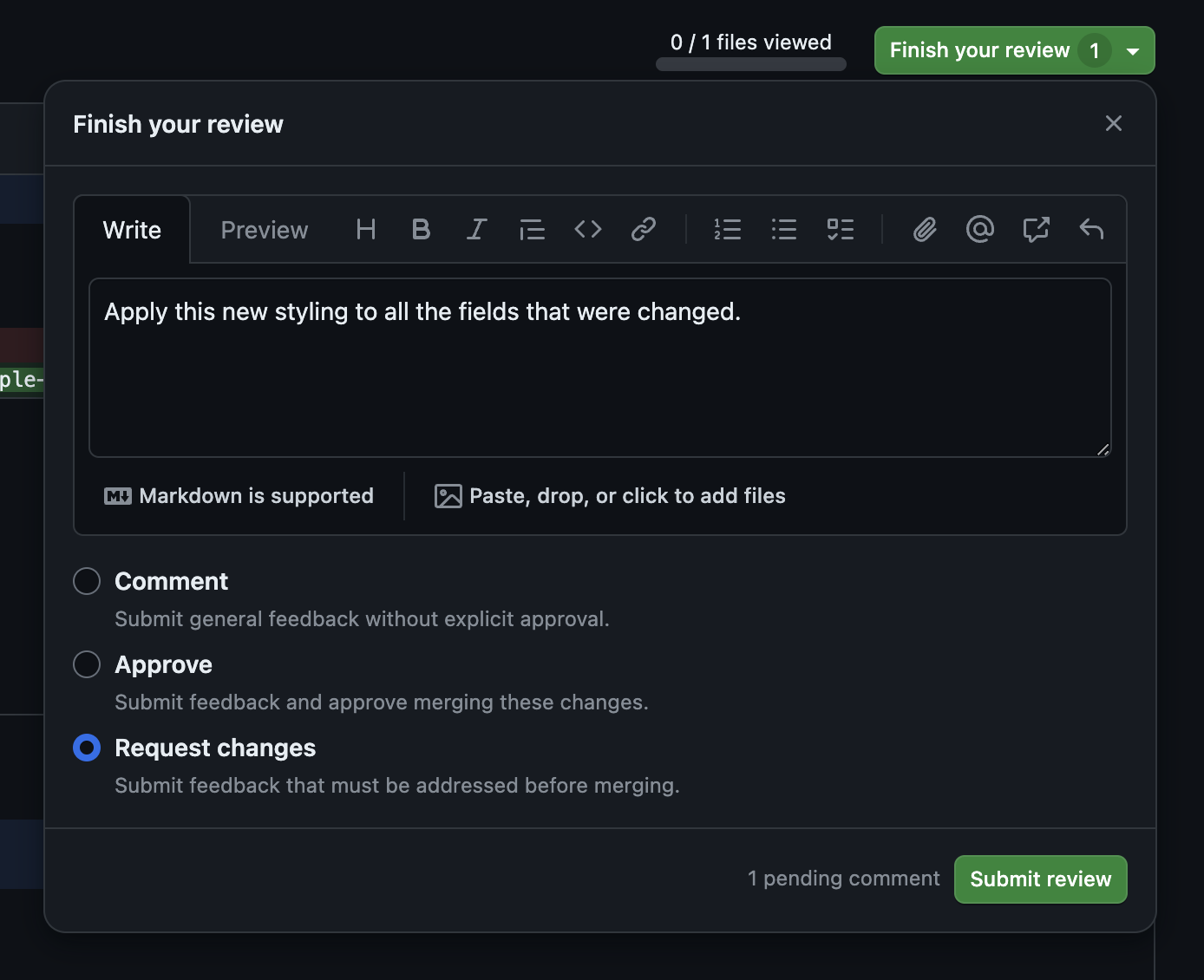 8. Click **Submit review**.
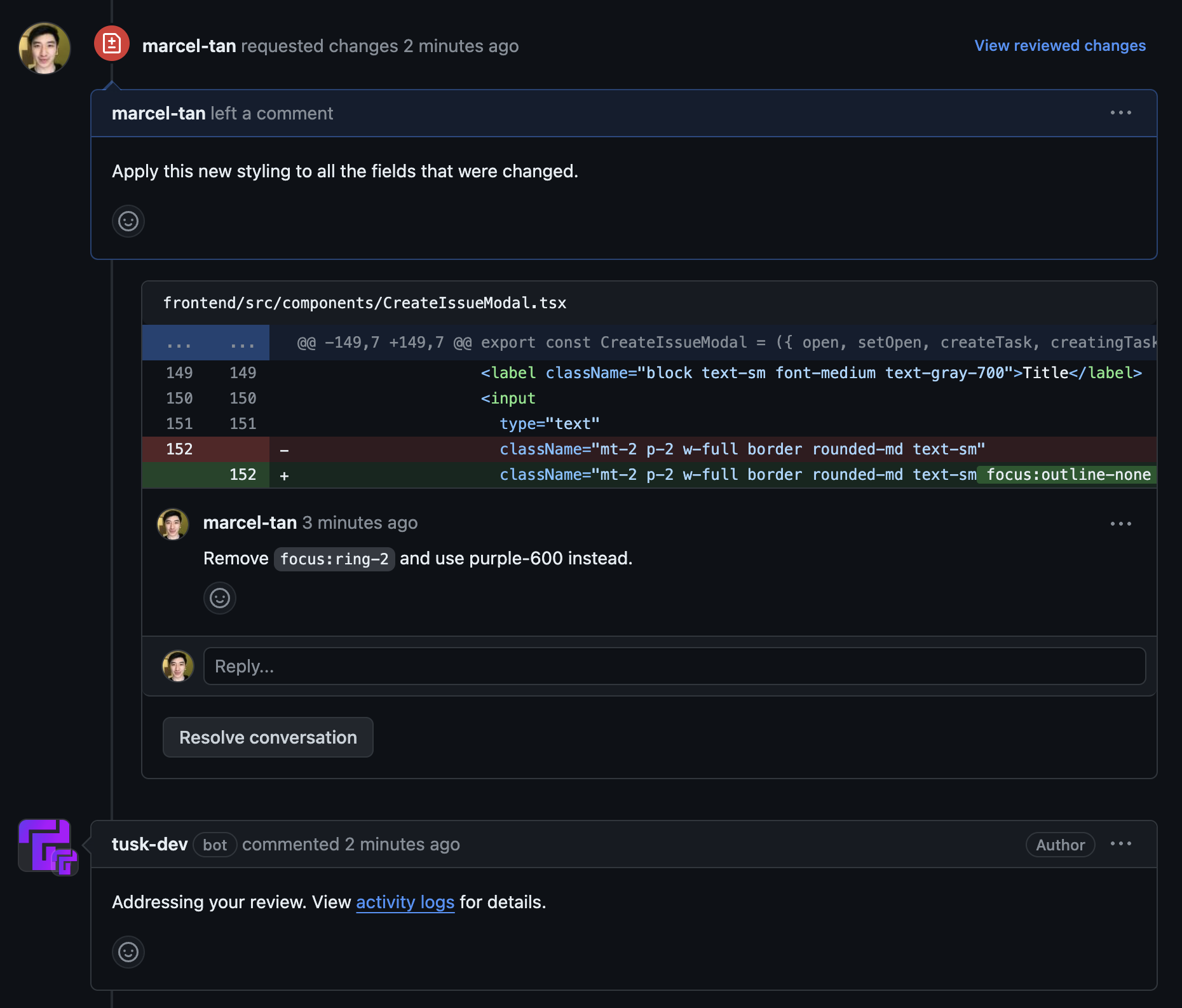
9. Your review will be added as a comment on the PR. Tusk will comment saying that it is addressing your review.
8. Click **Submit review**.
9. Your review will be added as a comment on the PR. Tusk will comment saying that it is addressing your review.
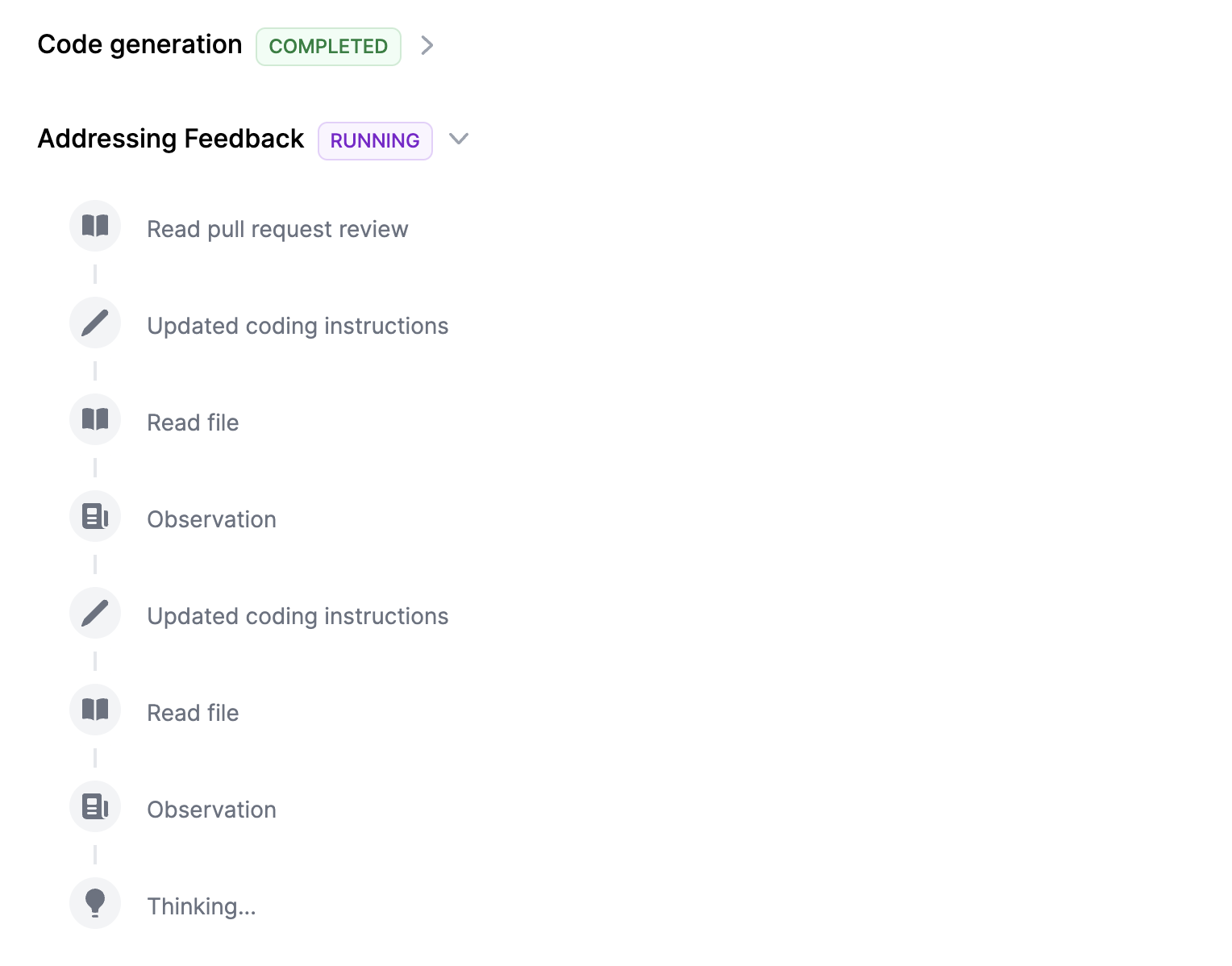
 10. If you click to view activity logs, you will be redirected to the Activity Log for the given task. You can see how Tusk is addressing your feedback here.
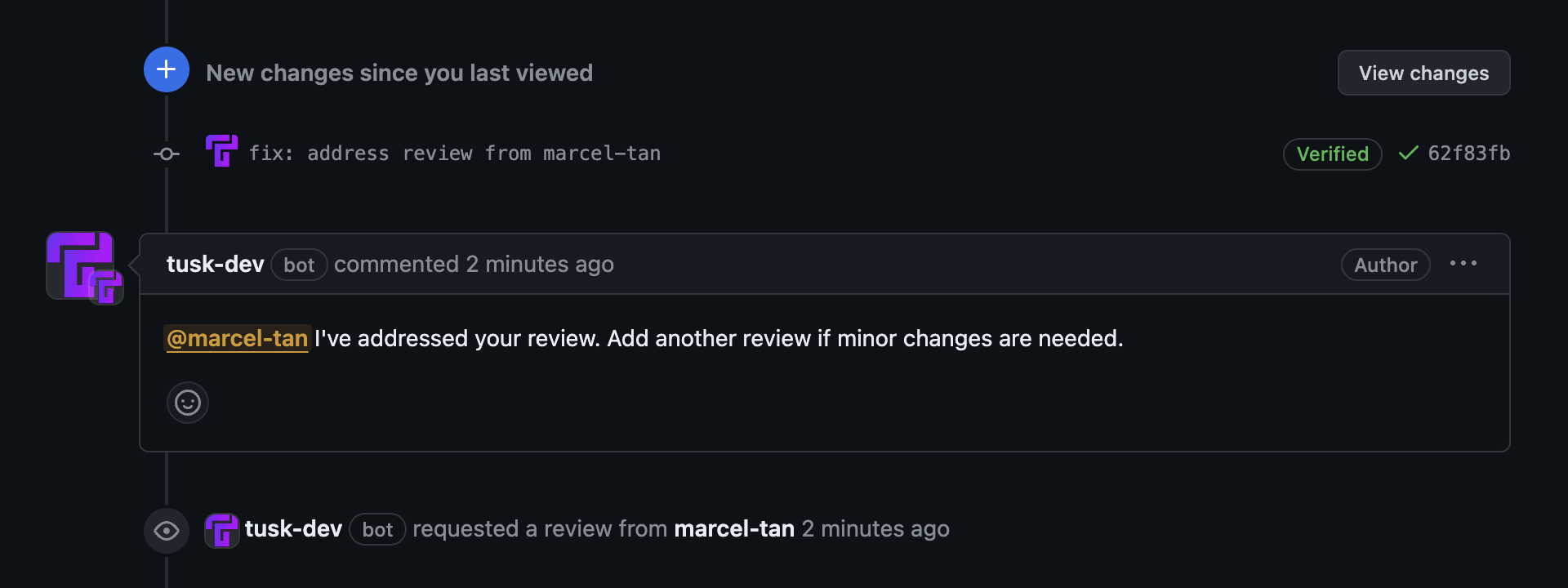
 11. Once completed, Tusk will make another commit (starting with `fix:`) and comment on the PR to say that it has addressed your review.
 ## Tips & Tricks
-
If you want to make a targeted change to a chunk of code, leave an **in-line
review comment** instead of adding the comment in the general review body.
-
Use **markdown syntax** when referencing code snippets that you want to change or
use.
-
Add **images** to the review description itself (attachments not supported yet) to provide Tusk visual input on styling issues.
-
If the approach that Tusk has taken is obviously incorrect, **close the PR with a guiding comment**
instead of providing a code review. This will help improve Tusk’s future PRs
while saving you time.
-
If you’d like to retry generating the PR with a different Jira/Linear/Notion
issue description, you can update the external issue description and then
click **Retry generation** in Tusk. This will auto-fetch the latest
description to use as context.